Brief it with your business.
Keep your company knowledge and brand context in one place, so work starts with what matters to you.
Your assistant, your specialist workforce, and the tools to move from a brief to useful work. All brought together in one desktop console.
Aurora reads the goal, selects specialists, sequences their work, and reviews the result. Your knowledge base gives MSR Platform the context it needs.
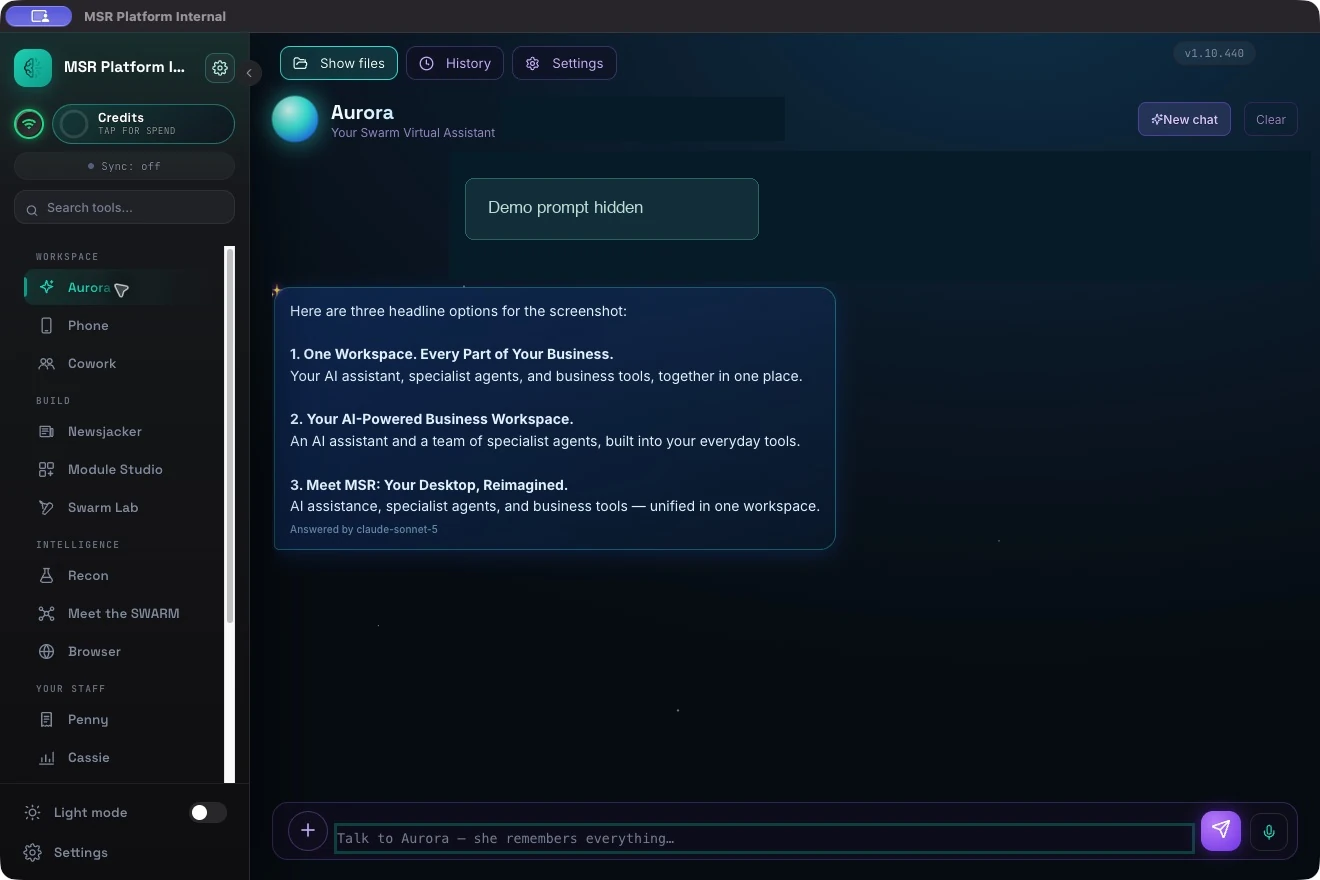
Keep your company knowledge and brand context in one place, so work starts with what matters to you.
Alignment, quality, and truth checks are part of the orchestration workflow. Review the output with your own standards before relying on it.
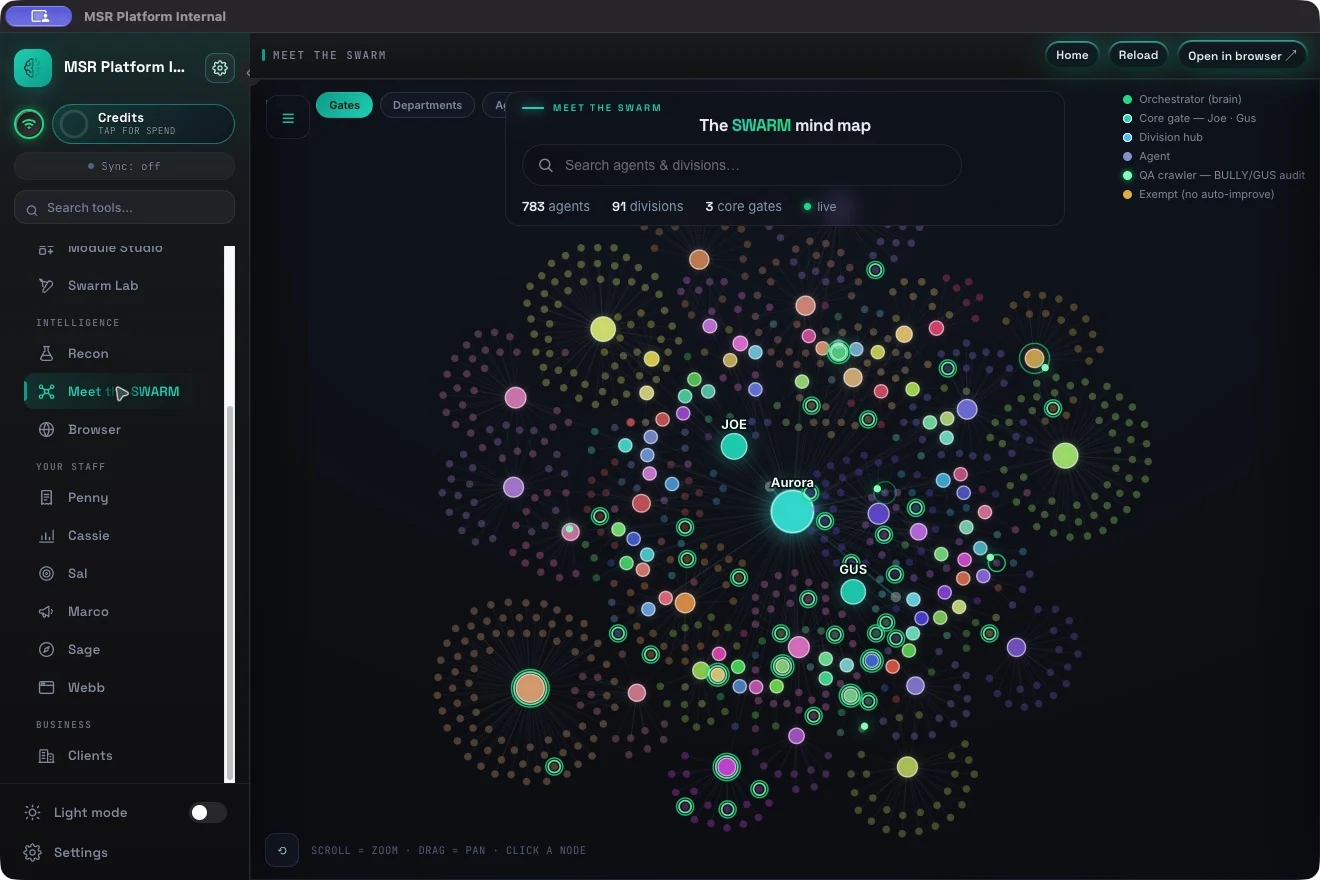
Explore 783 specialists across 91 divisions in a searchable workforce map. Use Agent Forge to define a new role, and Skill Forge to build a reusable capability.
Give MSR Platform a clear brief. Content Machine helps with social copy, reel scripts, and branded graphics. Module Studio helps you build tools around the work.
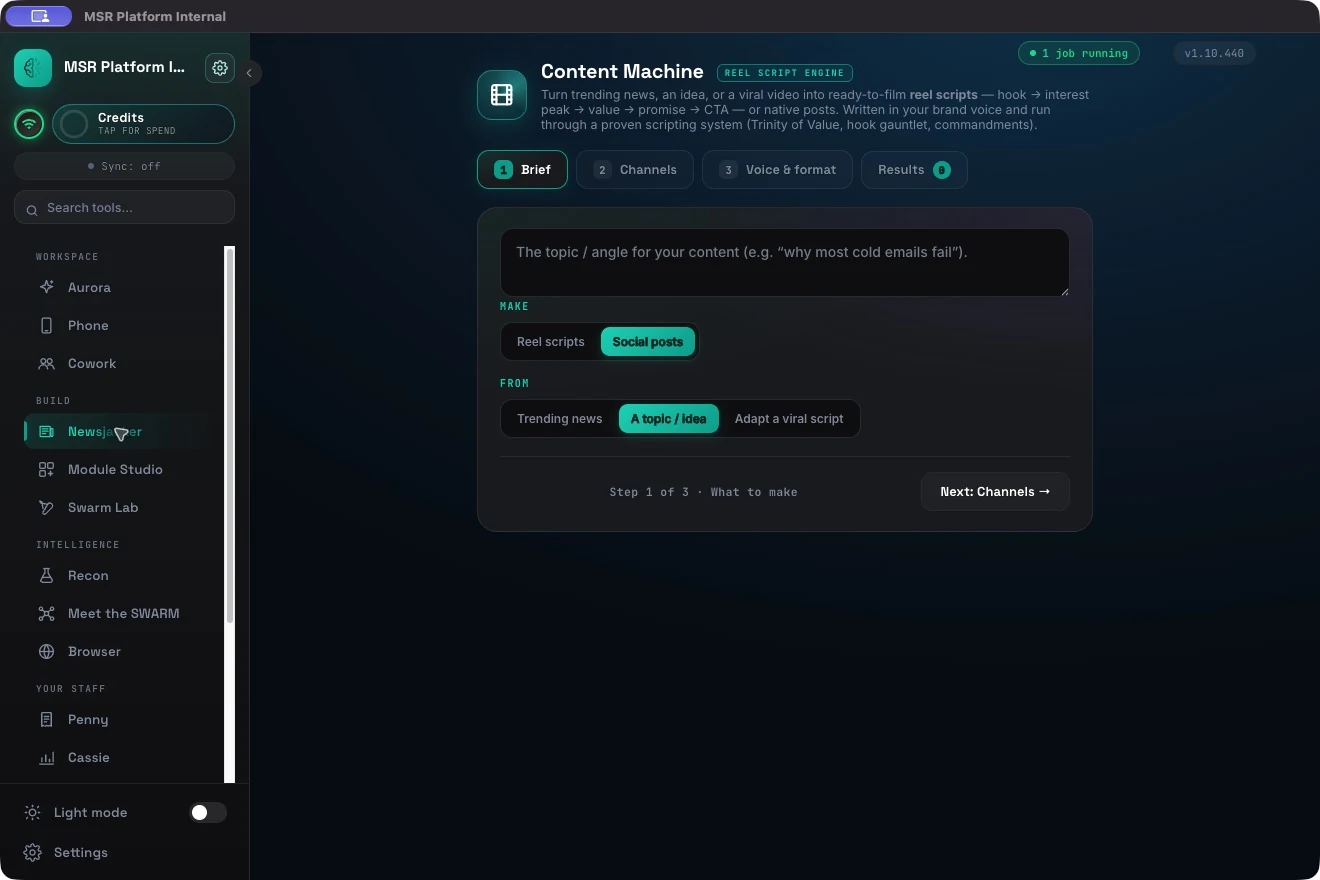
Choose the format, set the goal, and draft in your brand voice. Bring your logo, colors, and context to make the output your own.
Account Owner Next step
Northwind Dana Review
Acme Alex Prepare
Contoso Sam Follow up
Describe a focused tool—a tracker, calculator, or dashboard. Manny builds it inside the console, applying your brand context.
Choose colors, fonts, and styles across the console, with light and dark modes.
Manny uses your configured brand in tools, pages, decks, and documents.
Your business deserves more than a blank template. Give Webb the essentials, choose a direction, and turn the brief into a page you can review.
Start with your business name, what you do, and an optional domain. Pick your look, type, imagery direction, background, and movement.
Choose the sections you need: a headline, services, proof, about, testimonials, pricing, questions, and contact. See the concept in desktop or phone view.
Webb sends the brief to the page-building engine. Review the generated page, answer any questions, then ask for changes in plain language.
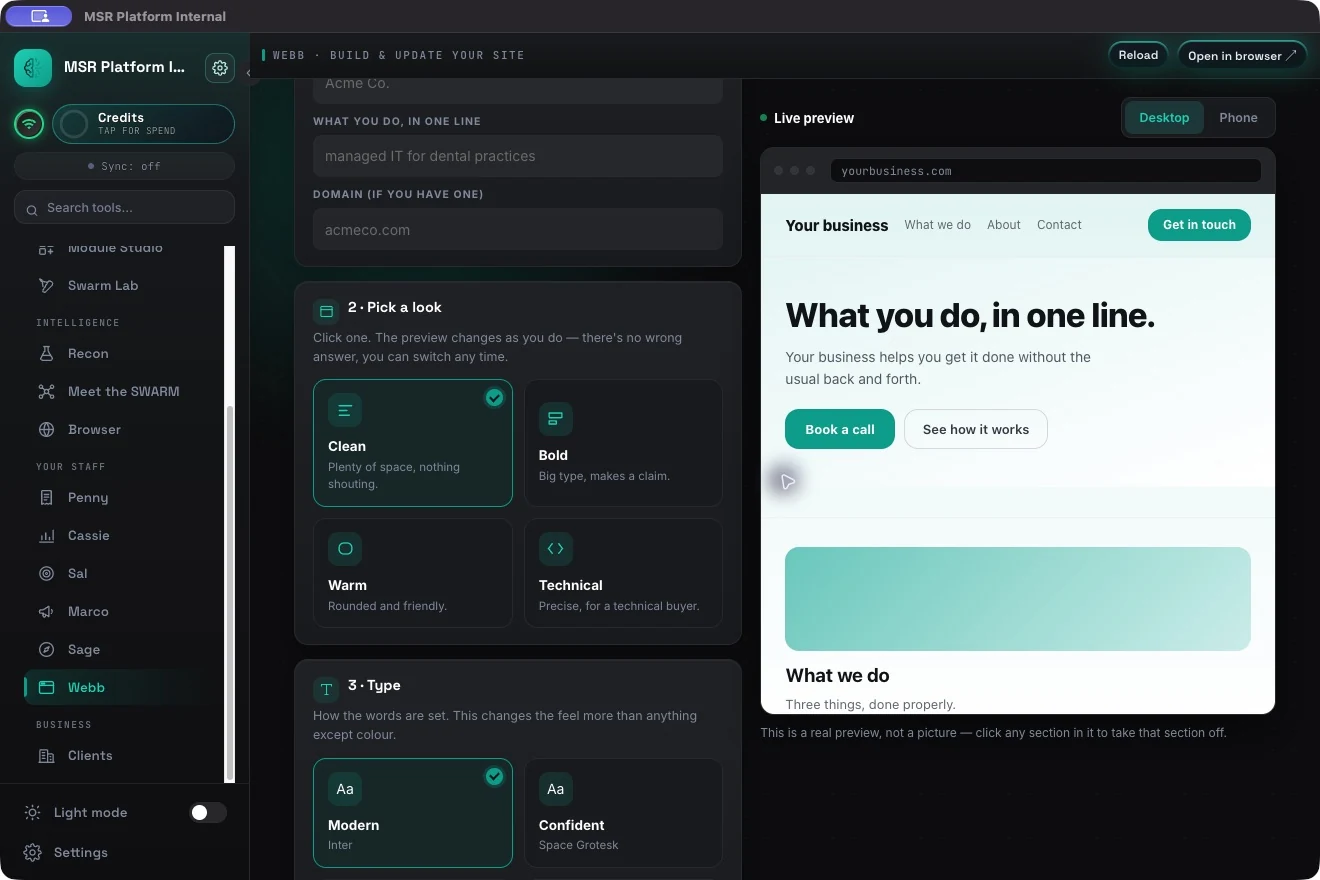
Webb currently builds a single-page HTML draft for review. Imagery choices set a creative direction; image sourcing and publishing to your domain need a separate step. Controls shown reflect MSR Platform v1.10.440.
Recon supports account research and pitch development. Clients CRM keeps your deal stages, values, owners, and follow-ups in the same workspace.
Research prospects that match your customer profile, develop relevant pitches, and review the supporting claims.
Keep client records and deal progression together, with ownership and next steps visible.
Research and reference the web alongside your work, inside the console.
Choose how Aurora handles sensitive text, how much detail she returns, and which AI powers the work. Explore the settings below.
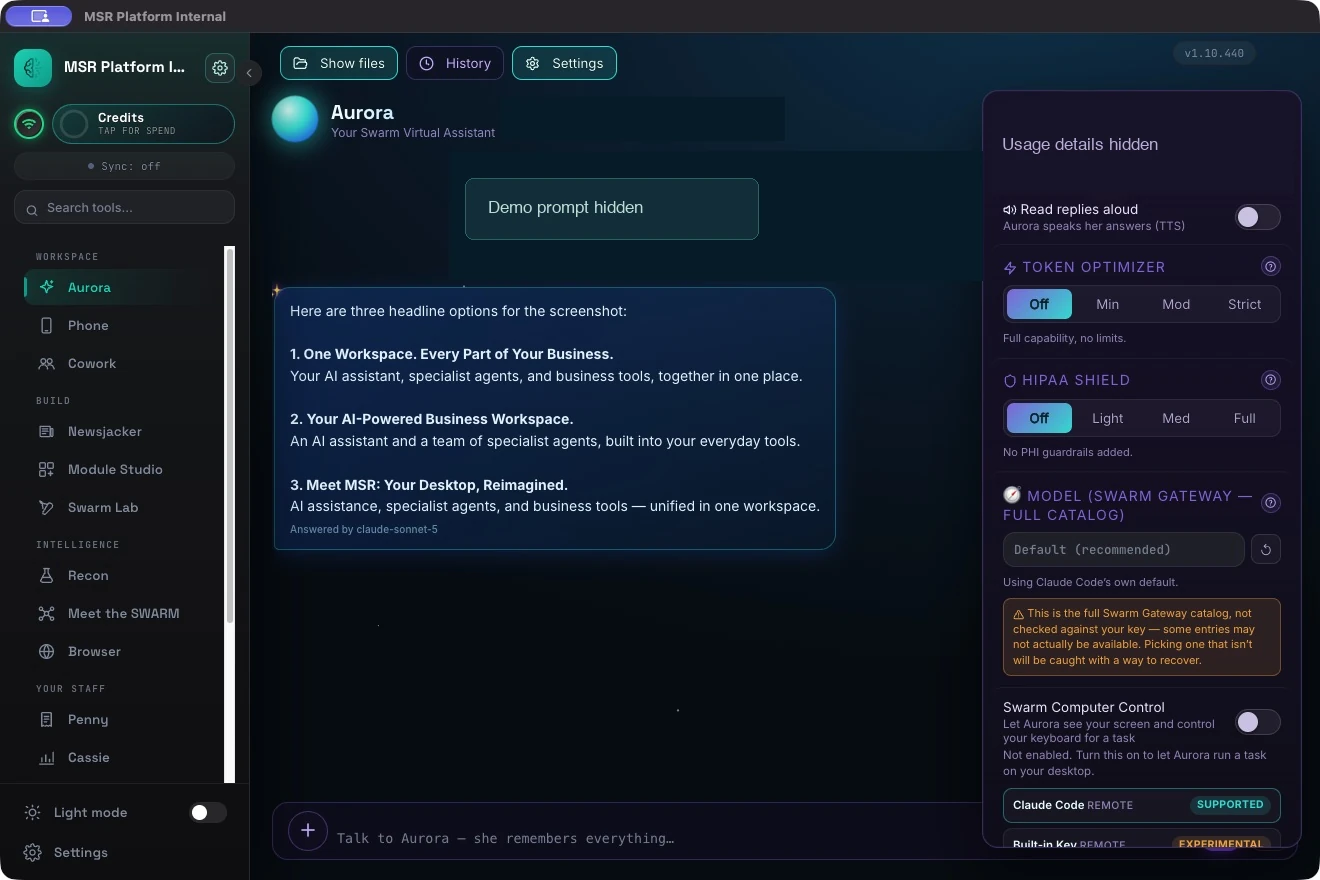
Set the level of pattern-based PHI filtering for your workflow.
Applies the redaction pass before text is stored, logged, displayed, or sent to your AI provider.
Give each task the depth it needs. Keep everyday answers focused.
Light brevity guidance keeps replies focused while leaving all features active.
Search the connected model catalog and check tool support, context, and pricing before choosing.
Availability depends on your engine and access. Claude Code and Codex CLI are separate engine options; the gateway model picker is a different control.These descriptions reflect the controls inspected in MSR Platform v1.10.440. Configuration and model access can vary by deployment.
Off adds no PHI guardrails. Light and Med currently use the same redaction pass for stored and displayed text. Full extends the pass to logs and the text sent to your AI provider.
The filter recognizes common identifiers such as SSNs, phone numbers, email addresses, dates, record IDs, ZIP codes, and some names known to the app or identified by surrounding markers. It can miss unrecognized names, non-US phone formats, informal references, and images.
HIPAA Shield is a handling control, not a certified de-identification engine or a compliance guarantee. A healthcare deployment still needs an appropriate data-flow review, safeguards, and applicable agreements. Read HHS guidance ↗
Off adds no token restrictions. Min asks for concise replies with all features active. Mod summarizes tool output, uses shorter history, and requests a cheaper model where supported.
Strict adds a clarifying question first, roughly 150-word bullet answers, minimal history, and approval before tools. It also requests a cheaper model where supported. The right level depends on the task: use more depth for complex work and a tighter setting for routine questions.
There is no fixed savings percentage. Check real usage in the app.
Aurora’s connected catalog lets you search by model name, inspect pricing and context, and see whether the provider reports tool support. Tool-capable options are shown first because Aurora uses tools for tasks such as file work and knowledge lookups.
Chat-only models may be useful for conversation, but cannot run the same workflow features. Catalog entries are not a guarantee that your account can access every model.
The gateway model picker and the engine setting do different jobs. The app also exposes Claude Code, Codex CLI, and Ollama as engine options. Their setup, available models, and behavior depend on your configuration.
On Claude Code, only Anthropic choices apply. Other vendors require a compatible engine. In your demo, we’ll show which settings apply to your deployment and how to switch deliberately.
Walk through my options ↗Pair your phone to access the same desktop console remotely. Use Cowork to bring teammates or clients into a shared workspace.
Bring a real brief. We’ll show the live platform,
talk through the setup, and scope the cost.